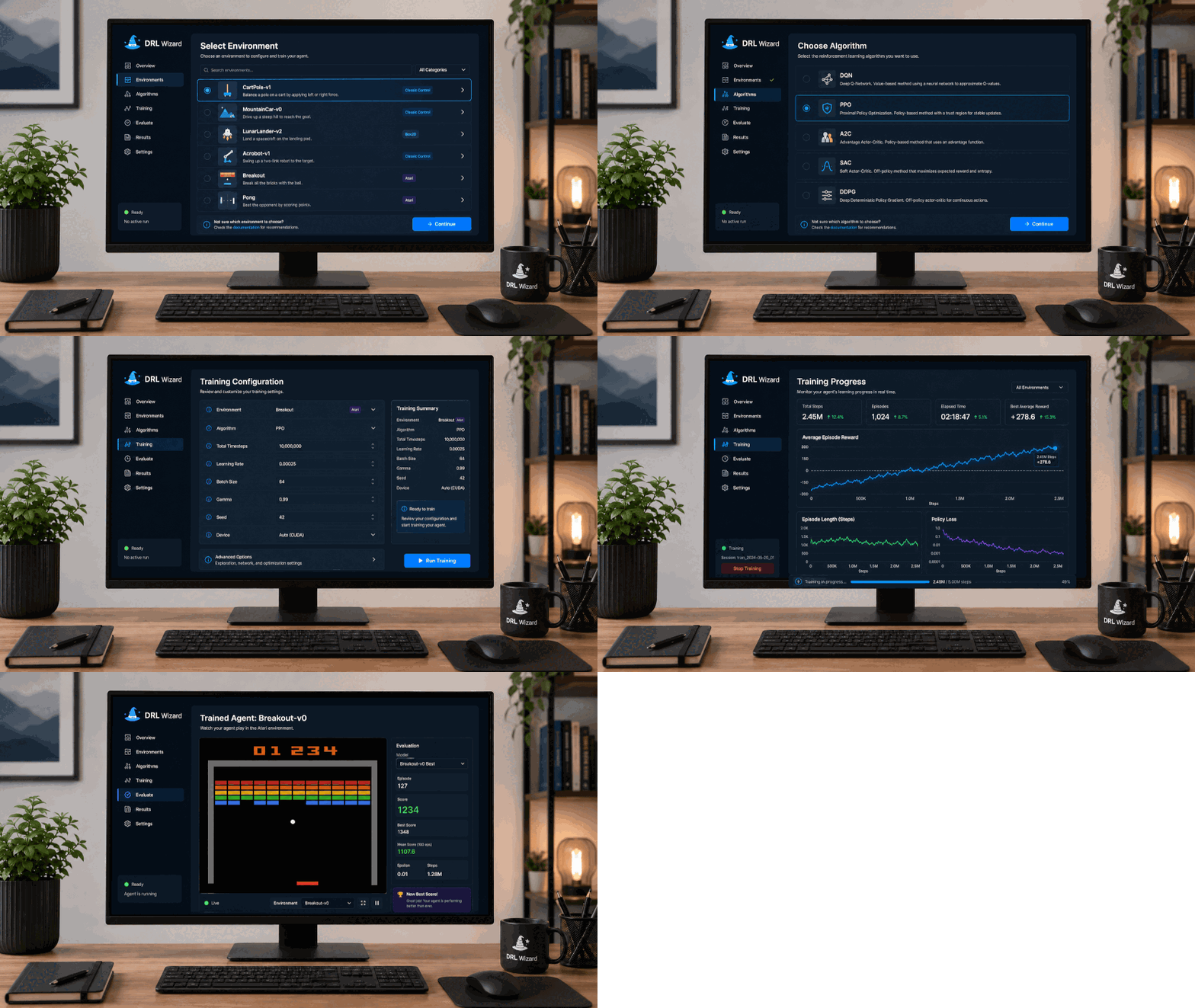
Animated DRL Wizard demo showing reinforcement learning experiment setup, training, and evaluation.

DRL Wizard

Guided reinforcement learning workspace that helps users set up, run, monitor, and evaluate AI training experiments without manually managing every environment, algorithm, and configuration detail.

  • DRL
  • RL Training
  • Experiments
  • Optimization

What it does

  • Guides users through the full reinforcement learning experiment workflow.
  • Helps choose the right environment and algorithm combination.
  • Loads editable training settings from the backend before a run starts.
  • Starts training jobs directly from the interface.
  • Shows live training progress with reward and loss metrics.
  • Evaluates trained agents with summary results and rendered episode playback.
  • Keeps saved and running experiments easy to review from one workspace.
DRL Wizard guided experiment setup screen.

Guided experiment setup

  • Starts with a simple choice between discrete and continuous control tasks.
  • Shows only environments that match the selected setup.
  • Turns reinforcement learning experiment setup into a clear step-by-step workflow.
  • Helps prevent incompatible environment and algorithm combinations later.
DRL Wizard algorithm and training configuration setup screen.

Algorithm and configuration setup

  • Filters the algorithm list based on the selected environment.
  • Loads environment and algorithm settings from the backend.
  • Organizes training parameters into clear sections for easier review.
  • Lets users adjust important settings before starting a training run.
DRL Wizard live training monitor with reward and loss charts.

Monitor training progress live

  • Tracks the active training run with status, step count, and reward values.
  • Shows learning progress through reward and loss plots.
  • Makes it easier to see whether the agent is improving during training.
  • Allows users to refresh the current run or start another experiment.
DRL Wizard evaluation screen with reward summary and rendered episode playback.

Evaluate the trained agent

  • Runs evaluation after training is complete.
  • Summarizes the agent’s performance with readable reward metrics.
  • Shows a rendered episode so users can visually inspect the learned behavior.
  • Combines numeric evaluation with visual feedback for easier interpretation.
DRL Wizard saved jobs screen with multiple training runs.

Review saved and running experiments

  • Lists saved experiments and currently running jobs in one place.
  • Lets users switch between runs for inspection.
  • Keeps previous results available while new training jobs continue.
  • Makes it easier to compare experiments without leaving the workspace.